
Appearance
ForeverLM
ForeverLM keeps everything you learn from in one library, and you work on it in notebooks: the sources for one piece of work, a chat that reads the ones you tick, and a Studio that makes audio overviews, reports, cards and courses from them. The cards you keep come back for review across every notebook.
The problem
You read articles and papers. You listen to podcasts and read books. All of this to make sense of the world, but just throwing stuff at the wall and seeing what sticks is not an effective way to remember any of it.
The research is clear: quizzing yourself is the single most effective way to learn. Not re-reading, not highlighting, not summarizing. Actively testing your recall. Explaining it back takes this further: if you can't explain something simply, from scratch, you don't actually understand it. Michael Nielsen makes the deeper point in Augmenting Long-term Memory: with the right system, remembering something becomes a choice rather than a matter of luck.
Getting that system right is its own problem. In Memory Machines, Ozzie Kirkby and Andy Matuschak find that the hard part isn't working out what you want to remember — the passages readers highlight signal that reasonably well — it's writing questions that still hold up after months of review.
But there's a second problem beyond retention: tracking all your content. As Andy Matuschak explores in How Might We Learn?, the tools we use for learning are far behind the tools we use for everything else. You consume across dozens of sources and formats, and none of it is connected.
How ForeverLM fits in
Today, learning and research is fragmented across a stack of disconnected tools: reference managers (Paperpile, Zotero), reading lists (Matter, Pocket), note-taking apps (Notion, Obsidian), and flashcard apps (Anki, Mochi). None of them talk to each other, and none of them were designed for how we actually learn.
ForeverLM brings all your sources into one library. A notebook gathers the ones for one piece of work — a topic, a person's research, a paper to review, a meeting to prepare. A source lives once in the library and can be in any number of notebooks, so the whole library is one search away from inside any of them. You can use Claude, ChatGPT, Gemini, Grok, or Edison Scientific, or stay inside ForeverLM with the in-app Chat panel.
The workflow is simple:
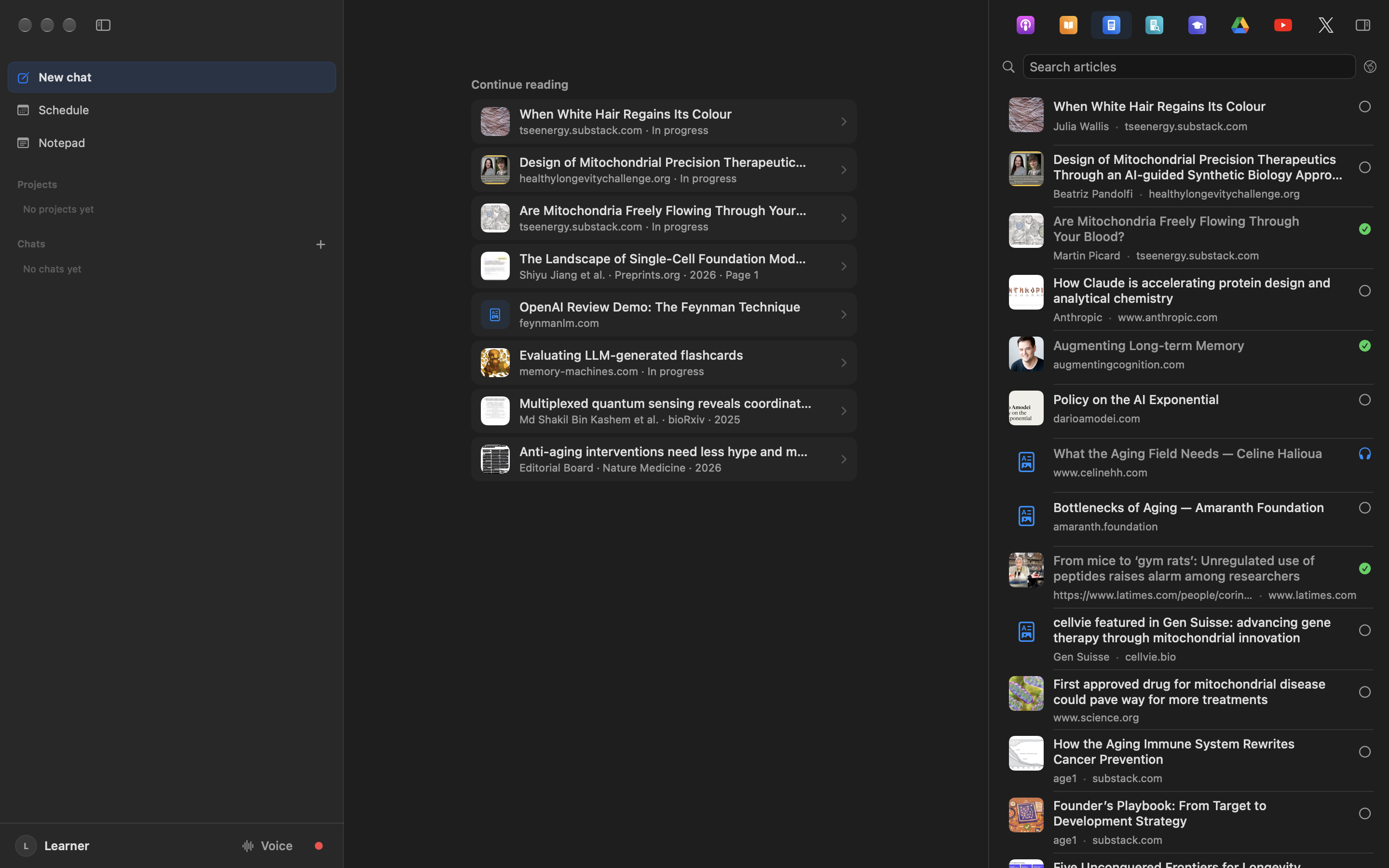
- Collect sources in Studio — articles, papers, podcasts, books, and more flow in automatically from your browser reading lists, local files, and integrations.
- Work in a notebook — make a notebook for what you are working on, add sources from your library, a link, a PDF or a search of the web, and make an audio overview, a report or cards from the ones you tick.
- Read, listen, and chat — use the Reader, Text to Speech, or in-app Chat to work through the notebook's sources.
- Learn through dialogue — ask your AI to test you, probe your understanding, and challenge your explanations using explain-it-back review and Socratic dialogue.
- Remember it — review the cards you kept, across every notebook, in Memory.
For a persistent connection where your AI can search your entire library without dragging, you can optionally connect an AI assistant. MCP traffic passes through ForeverLM-operated Cloudflare infrastructure.
Your knowledge base lives in your private iCloud container. ForeverLM servers do not store your source library, but data you choose to send to AI providers or through the hosted MCP relay follows those connection paths.
Quick Links
Track your sources:
- Studio Overview: notebooks, the library, and how sources enter
- Schedule: assign sources to days and track review progress
- Teams: share sources, notebooks, Pages and chat transcripts with a team, and work its task board
- Text to Speech: listen to articles and text sources
- Articles, Papers, Books, Courses, Podcasts, X Posts, Plugins
Choosing a learning tool?
- ForeverLM vs Alternatives: honest comparisons with NotebookLM, Speechify, Readwise, Zotero, Paperpile, Anki, Obsidian, and more
Use with AI:
- In-App Chat: review sources inside ForeverLM with your configured API provider
- Drag & Drop: drag your sources into Claude, ChatGPT, Gemini, Grok, or Edison Scientific — no setup needed
- Connect an AI Assistant: optional persistent connection for full-library access
- Connect an AI assistant: add ForeverLM as a custom connector in Claude, ChatGPT, Grok, Meta Muse, or any assistant that adds remote MCP servers
- Official ChatGPT plugin status: version 1.0.2 is submitted to OpenAI and is in review; use custom MCP setup until publication
- Grok custom connector: add ForeverLM at grok.com/connectors; it is not in the Grok catalog yet
- Learning with MCP: how to use AI for review and Socratic dialogue